Build a Creative Career in Graphic, Motion & UI UX Design
Master design fundamentals, motion visuals, and user-centric interfaces through practical projects and professional guidance.
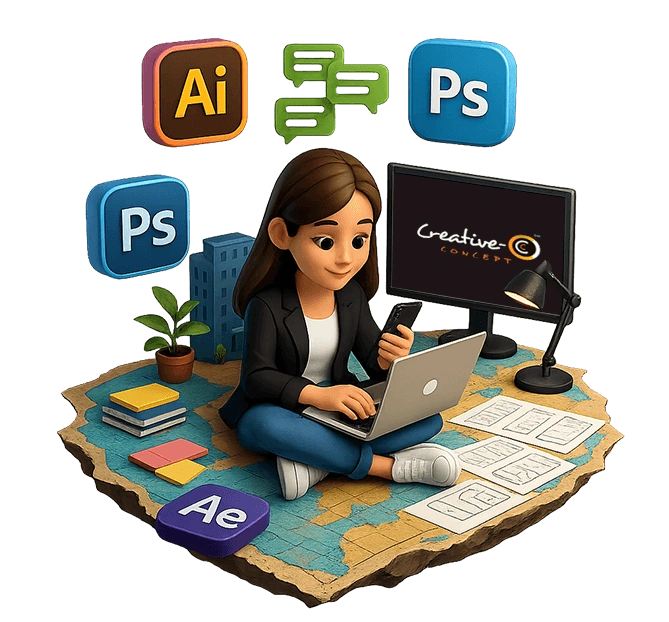






Building the next generation of versatile designers for the digital world.
Modules
This 6 to 7 months professional design certification course is crafted to shape future-ready visual creators. Creative Concept offers a powerful blend of Graphic, Motion, and UI UX Design training in Pune, helping artistic minds explore creativity, refine skills, and build strong design foundations for successful careers.

Module #1
Visual Design Foundations
Build strong foundations in layout, color theory, and composition.

Module #2
Graphic Design & Branding
Create impactful brand identities through typography, logos, and visuals.

Module #3
UX UI Design
Design user-friendly interfaces using UX principles and UI best practices.

Module #4
Motion Graphics & Portfolio Development
Create motion graphics and build a professional design portfolio.
Checkout
Benefits
100%
Job Oriented
ISO
Certified
LIVE
Sessions
PRO
Mentorship



Why They
Choose Us
Inside
Our Syllabus
Vector Vibes
(Exploring Illustrator's Libraries and Assets)
- Introduction to Adobe Illustrator Interface.
- Understanding Vector Graphics.
- Essential Tools and Basic Shapes.
- Creating Your First Logo.
Master Pen
(Customizing Workspaces for Efficiency)
- Advanced Pen Tool Techniques.
- Working with Colors, Gradients, and Swatches.
- Pathfinders and Shape Builder Magic
- Creating Illustrative Icons
Typo Expert
(Exporting for Web and Print)
- Mastering Typography in Illustrator.
- Working with Brushes, Patterns, and Textures.
- Introduction to Clipping Masks & Layers.
Pixels Perfect
(Introduce Free Platforms)
- Understanding the Photoshop Interface.
- Basic Image Corrections and Adjustments.
- Working with Layers and Layer Masks.
- Essential Selection Tools and Techniques.
Retouch Like a Pro
(Creating Cinemagraphs and Animated GIFs)
- Introduction to Adobe Illustrator Interface.
- Understanding Vector Graphics.
- Essential Tools and Basic Shapes.
- Creating Your First Logo.
Digital Artistry
(Social Media Creative Post)
- Creating Social Media Graphics.
- Introduction to Digital Painting Techniques.
- Working with Brushes, Gradients, and Patterns
Corel Creativity
(Exporting Files for Print and Web)
- Introduction to CorelDRAW Interface.
- Vector Basics and Drawing Shapes.
- Working with Text and Typography.
- Creating Simple Logos and Graphics.
Design Precision
(Using CorelDRAW's Interactive Tools.)
- Advanced Vector Illustration Techniques.
- Layout Design for Print Media (Brochures, Flyers).
- Using Effects, Fills, and Textures.
Layout Like a Pro
(Exporting for Print and Digital Publications)
- Introduction to Adobe InDesign Interface.
- Working with Pages, Master Pages, and Spreads.
- Text Formatting and Styles.
Creative Identity
(Developing a Personal Branding Strategy)
- Understanding Portfolio Basics and Structure.
- Selecting and Organizing Your Best Works.
- Designing a Unique Portfolio Layout.
Polish and Present
(Preparing for Portfolio Presentation of Your Work)
- Refining Designs for the Portfolio.
- Creating Mockups and Presenting Work Professionally.
- Building a Digital Portfolio (PDF/Web).
Portfolio Showcase
(Networking Tips and Building an Online Presence)
- Final Portfolio Reviews.
- Feedback Sessions and Revisions.
- Preparing for Interviews.
- Showcasing Your Work.
The Basics
(Introduction to UX)
- UX vs UI.
- Introduction to interaction design (IxD).
- Understanding human computer interaction (HCI).
- Good Vs Bad Products
Foundations First!
(UX Laws & Heuristic Evaluation)
- Design Thinking: Solving real problems creatively.
- Design Thinking Process: Empathize, Define, Ideate, Prototype, Test.
- Finalize Problem statement.
Dive Deep
(Understanding User Needs through Research & Surveys)
- Concept Presentation.
- User-Centered Design: Building for Real People.
- Stakeholder interview.
- Qualitative and Quantitative research.
Practicals
(Design Strategy)
- Types of Task Analysis.
- Eco System model.
- Qualitative and Quantitative research.
- Human and Machine Interaction Activity
Research Insights
(Crafting User-Centric Solutions)
- Telling the Story of Your Design.
- Building UX Documentation.
- User Personas & Mapping.
- Real-World Design Challenges.
Visual Storytelling
(Role of Visuals in UX: Clarity & Aesthetics)
- Creating User Scenarios & Storyboarding.
- Conducting Competitive Analysis.
- Card Sorting & Tree Testing.
- Ensuring User-Friendly Navigation.
Sketch & Scribble
(Organizing Content for Easy Navigation)
- Building Information Architecture.
- Turning Wireframes into Interactive Models.
- The Role of Logos in UX: First Impressions & Brand Recall.
- 101: Gathering Real Feedback.
UI Fundamentals
(First Steps in Figma, Tips & Tricks)
- Introduction to UI Design.
- Figma Overview & Basic Tools.
- Colors, Typography, and Grids in UI.
- Complete Guide to Mid-fidelity Wireframes.
Advanced UI Theory
(Basics of UI Color Systems, Typo & Spacing)
- Pairing and Font Psychology.
- Color Harmony Rules.
- Creating Color Palettes in Figma.
- Layouts Spacing & Grids.
Layout Like a Pro
(Basics of Frames & Autolayout)
- Autolayout Exercises.
- Master Styles & Libraries in Figma.
- Basics of Components & Variants.
- Developer Handoff.
Polish and Present
(Preparing for Portfolio Presentation of Your Work)
- Perfecting Visual Details.
- Preparing UI Designs for Presentation: Mockups and Case Studies.
- Peer Review Session: Feedback on Final Projects.
Design Jam
(Real-World Design Challenges: Group Exercises)
- How to improve your App's Interface.
- Redesigning Website.
- Redesigning Mobile App.
- UI Group Project.
Pitch Perfect!
(Portfolio Complete Guide)
- Prototyping Basics.
- Documentation & Handoff.
- UX research & Testing (User Analysis).
- Preparing for UX Design Interviews.
Graduation
(Graduation Ceremony & Certification)
- Crafting Mock Interviews & Presentations.
- Final Project Submission & Peer Review.
- Networking Tips for Designers.
- Feedback Session.
After Effects Basics
(Introduction to the After Effects.)
- Creating projects, compositions & layers.
- Importing footage (video, audio, and images).
- Basic animation with keyframes (position, scale, opacity)
Shapes & Mask
(Animating shapes and objects.)
- Text animations with presets & expressions.
- Erasing for smooth transitions.
- Creating and using masks & track mattes.
Pro Techniques
(3D Animation and Camera Work.)
- Motion tracking and stabilization.
- Speed ramping and time remapping.
- Basics of 3D layers and 3D compositions.
- Animating with cameras and lights.
Effects & Export
(Green screen techniques and chroma keying.)
- Applying glow and distortion effects.
- Color correction and grading.
- Exporting video for different platforms.
- Best practices for rendering with Adobe Media Encoder.
Output Settings
(Configure Output Settings for Rendered Content.)
- Learn how to adjust settings for optimal playback.
- Grasp the process of converting compositions into playable media.
- Understand different size and quality.
Ads & campaigns
(Create an animated ad campaigns for social media.)
- Create social media animations with complex visual & audio effects.
- Adding motion to video reels.
- Animating static images.
Premiere Pro
(Introduction & Basics.)
- Non-linear editing basics.
- Setting up projects and importing media.
- Organizing media and timelines.
- Cutting & Splitting.
Advanced Editing
(Working with transitions.)
- Adding creative transitions between clips.
- Motion effects and keyframing in Premiere Pro.
- Speed ramping and time-lapse effects.
Audio Mixing
(Basic sound mixing, syncing & audio effects.)
- Adding video effects and color grading.
- Working with multi-camera footage.
- Managing large projects efficiently.
- Exporting projects in desired formats.
Work in Progress
(Portfolio development using Premiere pro.)
- Creating an animated resume or portfolio.
- Adding transitions and personal branding elements.
- Create a logo intro animation and text intros.
Animated Videos
(Designing ads for social media platforms.)
- Optimizing videos for mobile formats.
- Creating animated digital stories.
- Adding voiceovers, sound effects, and music.
Final Portfolio
(Final Portfolio Review.)
- Creating video invitations for events.
- Submit animated resume.
- Submit social media ads, digital story, and YouTube ad.
Curious Minds, Clear Answers
We know you've got questions—and we love that! This section gives you clear insights into how our Graphic Design, UX UI, and Motion Graphics course works. From the creative tools you'll master to the design and animation skills you'll develop, we've answered everything you need to know before starting your journey with a leading design institute in Pune. Discover how this course can shape your future in visual design, user experience, and motion creativity.
Copyright 2011-2026 © Creative Concept All rights reserved.
 Enquire Now